
Life throws unexpected curveballs, and sometimes even the most anticipated cruise vacation needs to be put on hold. If you find yourself in the position of needing to cancel your Royal Caribbean adventure, you might wonder about the process. Fortunately, Royal Caribbean offers a streamlined online method for managing your booking changes. This guide will walk you through How to Cancel Royal Caribbean Cruise Online: Easy Guide, ensuring a clear and straightforward process to manage your reservation from the comfort of your home. For those exploring alternative options, Viking Cruises vs. Royal Caribbean: Choosing the Perfect Cruise for Your Adventure provides valuable insights into different cruise experiences.
Learn how to cancel your Royal Caribbean cruise online. Follow our guide for a simple process.
Why You Might Need to Cancel
Unexpected changes are an inevitable part of life, and unfortunately, they can sometimes impact even the most anticipated travel plans. While no one books a cruise expecting to cancel, understanding the common reasons why you might need to cancel can help you prepare and, ideally, protect your investment with appropriate planning, like travel insurance. Resources such as Weathering the Storm: Understanding Cruise Cancellations Due to Weather offer practical guidance on navigating unexpected disruptions.
Here are some of the most frequent circumstances that lead travelers to cancel their Royal Caribbean cruise:
If you are considering alternative cruise options, Viking Cruises vs. Royal Caribbean: Choosing the Perfect Cruise for Your Adventure can help you evaluate which experience best fits your preferences.
Here are some of the most frequent circumstances that lead travelers to cancel their Royal Caribbean cruise:
While no one books a cruise expecting to cancel, understanding the common reasons why you might need to cancel can help you prepare and, ideally, protect your investment with appropriate planning, like travel insurance.
What You Need Before You Start
Before you cancel, gather your information. You will need:
- Your booking number
- Your name
- Your email address
- Your phone number
- Your payment details
Step-by-Step Guide to Cancel Online
Here’s a step-by-step guide to canceling a Royal Caribbean cruise online (assuming you booked directly through Royal Caribbean):
🧭 Step 1: Check Your Fare Type & Cancellation Deadlines
- Refundable vs. Non-refundable deposit:
- Refundable deposits let you cancel without penalty if done before final payment.
- Non-refundable deposits are always forfeited, regardless of timing (royalcaribbeanblog.com).
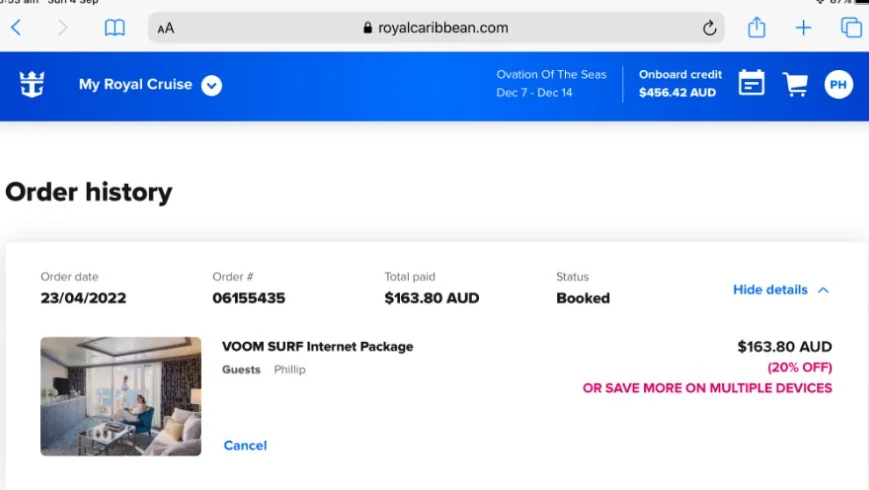
Step 2: Log In to “My Bookings” on Royal Caribbean’s Website
Visit the official Royal Caribbean site and log in to your account.
Step 3: Click “Cancel Cruise” (if available)
There should be a “Cancel Cruise” button or link beside your booking — click it (girlsandboystown.org, reddit.com).
Step 4: Confirm & Finalize Cancellation
If the “Cancel Cruise” Button Is Missing or Not Working
Step 5: What to Expect Next
From Guests with Firsthand Experience
Many travelers share advice on Reddit:
“Read the invoice. It’s got a very clear cancellation schedule… you should just be at the non‑refundable deposit loss…” (reddit)
“I cancelled a 4 day RC cruise 3 months before the sail date (75 day clause) and received 100% refunds for both the cruise and insurance.” (reddit)
✅ Quick Checklist
| Task | Completed? |
|---|---|
| Check deposit type & cancellation window | |
| Log in to “My Booking” | |
| Click “Cancel Cruise” | |
| Confirm refund or FCC terms | |
| Save confirmation email/details | |
| Expect refund or FCC within timeframe |
If You’re Booking via Travel Agent
- You must contact them directly—cancellations must go through the agent (royalcaribbean.com, royalcaribbeanblog.com, royalcaribbean.com).
Guide in Short
Go to the Royal Caribbean website. Look for the “Manage Your Booking” section.