Featured image for can you text on norwegian cruise line
Image source: i.pinimg.com
Yes, you can text on Norwegian Cruise Line using their onboard Wi-Fi and the Norwegian app, allowing seamless messaging while at sea. Texting is free for app-to-app messages when connected to the ship’s network, but standard data charges apply for SMS and internet use unless you purchase a Wi-Fi package. Stay connected without missing a beat—even on the open ocean.
Key Takeaways
- Texting is available via Norwegian’s app or Wi-Fi, not cellular networks.
- Use the app to message fellow guests for free onboard.
- Wi-Fi packages are required for internet-based messaging apps.
- Pre-purchase Wi-Fi online for better rates and connectivity.
- Cellular roaming is costly; avoid it for messaging at sea.
- Stay connected with real-time updates using the cruise planner.
📑 Table of Contents
- Can You Text on Norwegian Cruise Line? Stay Connected at Sea
- Understanding NCL’s Onboard Connectivity: The Basics
- NCL Wi-Fi Packages: Pricing, Plans, and What You Get
- Texting on NCL: Apps, Tips, and Best Practices
- Cost-Saving Strategies: How to Text Without Overspending
- Beyond Texting: Other Communication Options on NCL
- Conclusion: Stay Connected, Stay Happy on Your NCL Cruise
Can You Text on Norwegian Cruise Line? Stay Connected at Sea
Imagine this: you’re standing on the deck of a luxurious Norwegian Cruise Line (NCL) ship, the sun setting behind you as the ocean stretches endlessly in every direction. The breeze carries the scent of salt, and laughter echoes from the pool deck. It’s the perfect vacation moment—except for one nagging thought: *How will I stay in touch with loved ones back home? Will my phone work at sea? Can I text on Norwegian Cruise Line?*
For many travelers, staying connected during a cruise is no longer a luxury—it’s a necessity. Whether you’re checking in with family, sharing vacation photos on social media, or coordinating plans with travel companions, reliable communication is key. Norwegian Cruise Line understands this demand and has invested heavily in modernizing its onboard connectivity. But how well does it work in practice? Can you truly text, call, and browse the internet without breaking the bank or losing signal? In this comprehensive guide, we’ll explore everything you need to know about staying connected on NCL ships, from texting capabilities and Wi-Fi packages to satellite networks, cost-saving tips, and real-world experiences. Whether you’re a digital nomad, a social media enthusiast, or simply someone who wants peace of mind knowing you can reach out in an emergency, this guide will help you navigate the digital seas with confidence.
Understanding NCL’s Onboard Connectivity: The Basics
How Satellite Internet Powers Communication at Sea
Unlike land-based networks, cruise ships rely on satellite internet to provide connectivity in the middle of the ocean. Norwegian Cruise Line partners with SpaceX’s Starlink, a revolutionary low-orbit satellite network, to deliver high-speed internet across its fleet. This is a game-changer compared to older, slower satellite systems that plagued cruise lines in the past. Starlink’s low-latency, high-bandwidth service enables smoother browsing, video calls, and—most importantly—reliable texting.
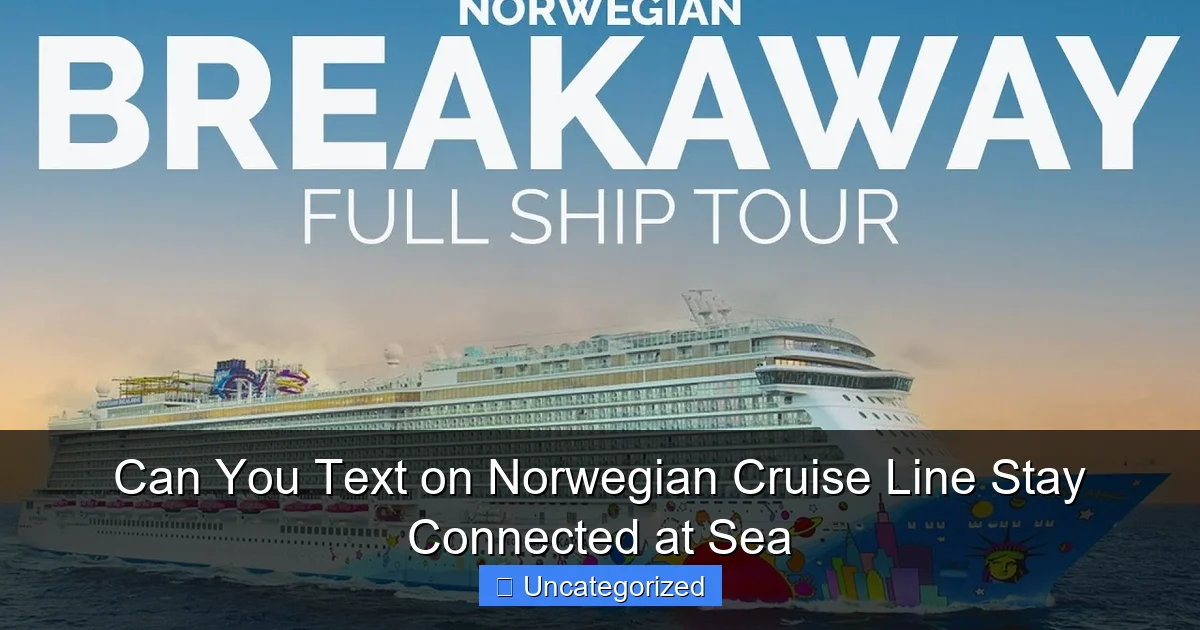
Visual guide about can you text on norwegian cruise line
Image source: i.ytimg.com
Starlink is currently available on over 80% of NCL’s active ships, including the Norwegian Encore, Norwegian Bliss, and the newer Norwegian Prima class vessels. The remaining ships are scheduled for upgrades by the end of 2025. This means that on most NCL cruises, you can expect a connection that rivals what you’d get in a rural town—far superior to the “dial-up at sea” experience of the past.
Texting vs. Data: What You Can and Can’t Do
When people ask, “Can you text on Norwegian Cruise Line?” they’re usually referring to text messaging (SMS) and internet-based messaging apps like WhatsApp, iMessage, and Facebook Messenger. Here’s the breakdown:
- SMS (text messages): These require cellular service and are not supported at sea. Your phone will lose connection to terrestrial cell towers once you’re beyond 12 miles from shore. You cannot send or receive traditional SMS messages while at sea.
- Internet-based messaging: Apps like WhatsApp, iMessage (over Wi-Fi), Telegram, and Signal work perfectly—as long as you have an active Wi-Fi connection. These apps use data, not cellular signals, so they’re ideal for texting at sea.
Pro Tip: Before your cruise, download offline maps, pre-write messages, and set your messaging apps to “low data” mode to conserve bandwidth. This is especially useful if you’re on a limited data plan.
Wi-Fi Packages: The Gateway to Texting
To send texts via apps like WhatsApp, you’ll need to purchase an NCL Wi-Fi package. These are not included in your cruise fare and must be bought separately. However, they’re your ticket to staying connected. NCL offers several tiers, which we’ll explore in detail later. The key takeaway: no Wi-Fi, no texting (except via SMS, which won’t work at sea).
For families or groups, consider purchasing a Family Plan that allows multiple devices under one account. This is more cost-effective than buying individual packages for each person.
NCL Wi-Fi Packages: Pricing, Plans, and What You Get
Overview of Available Packages
NCL offers three primary Wi-Fi packages, each designed for different usage levels. All packages work across the entire cruise, including port days and sea days. Here’s a breakdown of what’s available:
| Package Name | Price (7-night cruise) | Devices | Speed & Features | Best For |
|---|---|---|---|---|
| Social | $19.99 | 1 device | Basic browsing, social media, messaging apps | Light users: occasional texts, Instagram, Facebook |
| Value | $34.99 | 1 device | HD streaming, video calls (Zoom, FaceTime), faster speeds | Moderate users: video chats, streaming music |
| Premium | $49.99 | 1 device | Unlimited high-speed data, 4K streaming, low latency | Heavy users: remote work, video editing, gaming |
| Family Plan (Value or Premium) | $59.99 (Value) / $79.99 (Premium) | Up to 3 devices | Same features as base plans, shared data pool | Families, couples, groups |
When to Buy: Pre-Cruise vs. Onboard
NCL often offers a 10–15% discount if you purchase your Wi-Fi package before your cruise, through the MyNCL app or website. For example, the Premium package drops from $49.99 to $42.49 when bought in advance. This is a smart move—especially if you’re booking a Family Plan.
Onboard, packages are sold at the Internet Café or via the Norwegian Cruise Line app. Prices are full rate, and availability may be limited during peak times (e.g., first day at sea). Don’t wait until you’re already disconnected!
Real-World Performance: What to Expect
Based on passenger reviews and NCL’s own speed tests, here’s what you can realistically expect:
- Social Package: ~5–10 Mbps. Perfect for texting on WhatsApp, checking email, and browsing Facebook. Struggles with video calls or streaming.
- Value Package: ~20–30 Mbps. Supports Zoom meetings, FaceTime, and Spotify streaming. Texting is seamless.
- Premium Package: ~50+ Mbps. Handles 4K video, large file uploads, and even cloud-based work tools. Ideal for digital nomads.
Note: Speeds can fluctuate based on ship location, weather, and network congestion. During storms or in remote areas, you might experience brief drops. However, Starlink’s reliability has significantly improved compared to older systems.
Texting on NCL: Apps, Tips, and Best Practices
Top Messaging Apps That Work at Sea
To text on Norwegian Cruise Line, you’ll rely on internet-based messaging apps. Here are the most reliable options:
- WhatsApp: The gold standard. Works on all devices, supports group chats, voice messages, and video calls. End-to-end encrypted.
- iMessage (Apple): Seamless for iPhone users. Automatically switches to Wi-Fi when cellular is unavailable. Great for sharing photos and videos.
- Facebook Messenger: Reliable for texting friends and family on Facebook. Also supports video calls.
- Telegram: Fast, secure, and great for group chats. Works well even on slower connections.
- Signal: Privacy-focused. Ideal if you’re concerned about data security.
Pro Tip: Set your apps to “Wi-Fi Only” in your phone’s settings. This prevents accidental cellular data usage (and roaming charges) when near shore.
Optimizing Your Texting Experience
Even with a good Wi-Fi plan, you can enhance your texting experience with these tips:
- Use Wi-Fi Calling: Enable Wi-Fi calling on your phone. This allows you to make and receive calls (including video) through your carrier, using the ship’s Wi-Fi. No extra cost (if your plan supports it).
- Download Media Offline: Pre-load photos, videos, and documents you plan to share. This reduces data usage during the cruise.
- Turn Off Auto-Downloads: In WhatsApp and iMessage, disable auto-download of photos and videos. This saves bandwidth and storage.
- Use Text-Only Mode: In group chats, ask members to avoid sending large videos or memes. Text-only conversations use minimal data.
- Schedule “Connectivity Breaks”: Designate times to check messages (e.g., morning coffee, dinner). This prevents constant data drain.
Group Coordination: Texting with Travel Companions
Cruise vacations often involve groups—families, friends, or couples. Here’s how to stay organized:
- Create a Group Chat: Use WhatsApp or Telegram to create a private group for your party. Share daily plans, meeting points, and dining reservations.
- Use NCL’s App: The Norwegian Cruise Line app includes a “Cruise Planner” feature. You can sync shore excursions, dining times, and onboard activities. Share the itinerary via text.
- Designate a “Wi-Fi Captain”: Assign one person to manage the Family Plan and monitor data usage. This prevents overages and keeps everyone connected.
Example: The Smith family of four booked a 7-night Caribbean cruise. They purchased the Family Premium Plan for $79.99. Using WhatsApp, they created a group chat to coordinate beach days, spa appointments, and dinner meetups. One member used Wi-Fi calling to check in with a sick relative. Total data used: ~15 GB (well within the plan’s limit).
Cost-Saving Strategies: How to Text Without Overspending
Buy Early, Save Big
As mentioned earlier, purchasing your Wi-Fi package before your cruise can save you up to 15%. This is the single biggest cost-saving tip. Set a reminder to buy your plan as soon as you book your cruise—don’t wait until departure day.
Share Data with Family or Friends
The Family Plan is a no-brainer for groups. At $59.99 for the Value plan (vs. $34.99 x 3 = $104.97 for individual plans), you save nearly $45. Even better: the Premium Family Plan saves over $70.
Tip: If you’re traveling with friends (not family), you can still use the Family Plan. Just log in on each device using the same account.
Use Free Wi-Fi Zones (When Available)
While most areas require a paid connection, some ships offer free Wi-Fi zones in public areas like the atrium or pool deck. These are usually limited to 10–30 minutes and only support basic browsing. Use them for quick text checks or to send urgent messages.
Limit High-Bandwidth Activities
Streaming Netflix, uploading 4K videos, or playing online games can quickly eat through your data. To maximize your plan:
- Watch videos in SD, not HD/4K.
- Upload photos in compressed formats (e.g., JPEG instead of RAW).
- Use text-based communication instead of video calls when possible.
Example: A couple on a 5-night cruise used the Value package. They limited video calls to 10 minutes per day and avoided streaming. They stayed connected for 4 days on one plan—saving money and stress.
Beyond Texting: Other Communication Options on NCL
Wi-Fi Calling and VoIP
Wi-Fi calling is a powerful tool. If your phone and carrier support it (e.g., Verizon, T-Mobile, AT&T), you can make free calls to the U.S. and Canada using the ship’s Wi-Fi. No roaming charges. For international calls, use VoIP apps like:
- Skype: Offers low-cost calling plans.
- Google Voice: Free calls to the U.S./Canada with a Google account.
- Rebtel: Specializes in international calling.
Note: Wi-Fi calling requires a strong connection. Use it in areas with good signal strength, like the Internet Café or your stateroom.
Onboard Communication: The NCL App and Messaging Boards
For non-urgent communication, NCL offers free tools:
- NCL App: Includes a messaging feature to contact crew or other passengers (if both have the app).
- Messaging Boards: Located in public areas, these allow you to leave notes for your group (e.g., “Meet at 6 PM in the Atrium”).
These are great for low-tech coordination and don’t require data.
Emergency Communication
In emergencies, NCL provides:
- Satellite phones: Available at the front desk (fees apply).
- Emergency alerts: Sent via the NCL app and ship-wide announcements.
- Medical team: Can assist with urgent communication needs.
While you can’t send SMS at sea, the ship’s crew can help relay messages to family via satellite.
Conclusion: Stay Connected, Stay Happy on Your NCL Cruise
So, can you text on Norwegian Cruise Line? The answer is a resounding yes—but with a few important caveats. Traditional SMS won’t work at sea, but internet-based messaging apps like WhatsApp, iMessage, and Facebook Messenger thrive when paired with NCL’s modern Wi-Fi system, powered by Starlink. With the right package, smart usage habits, and a bit of planning, you can stay connected, share memories, and coordinate plans without breaking the bank.
Remember: buy your Wi-Fi plan early, choose the right tier for your needs, and leverage apps to minimize data usage. Whether you’re a casual texter, a remote worker, or a social media sharer, NCL’s connectivity options are more robust than ever. The days of “disconnecting to reconnect” are fading—now, you can enjoy the waves, the sunsets, and the laughter of your loved ones, all while staying just a text message away.
Your next NCL cruise doesn’t have to mean digital silence. With this guide in hand, you’re ready to navigate the high seas—and the internet—with confidence. Bon voyage, and happy texting!
Frequently Asked Questions
Can you text on Norwegian Cruise Line while at sea?
Yes, you can text on Norwegian Cruise Line using their onboard Wi-Fi network and the Norwegian Cruise Line app. Messaging via the app is free, but standard data charges apply if using third-party apps like WhatsApp or iMessage.
Is there a way to send text messages without paying for internet?
Norwegian Cruise Line offers free messaging through their app, which allows text communication between passengers on the same ship without data fees. However, connecting to friends or family on land requires a Wi-Fi package.
Do I need a Wi-Fi package to text on Norwegian Cruise Line?
You only need a Wi-Fi package to text on Norwegian Cruise Line if you’re using third-party apps or messaging people on land. The NCL app’s onboard messaging feature is free for passengers.
Can I use iMessage or WhatsApp to text on NCL ships?
Yes, you can use iMessage, WhatsApp, or other messaging apps to text on Norwegian Cruise Line, but you’ll need to purchase a Wi-Fi package. These apps rely on internet connectivity, unlike the free NCL app messaging.
Are there any free texting options on Norwegian Cruise Line?
Norwegian Cruise Line offers free texting through their app for onboard communication between passengers. This feature works without a Wi-Fi package but is limited to shipmates.
How reliable is texting on Norwegian Cruise Line during the cruise?
Texting on Norwegian Cruise Line is generally reliable, especially via the NCL app. However, connectivity may vary depending on your location at sea and the Wi-Fi plan you choose for external messaging.