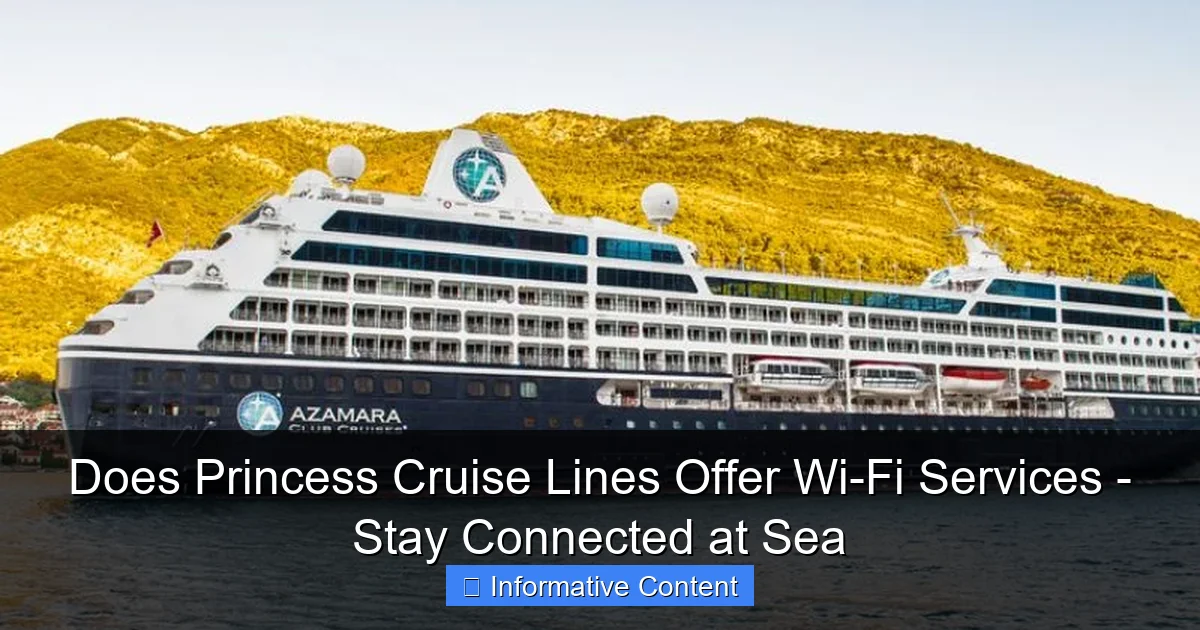
Featured image for does princess cruise lines offer wi-fi services
Image source: avidvoyagers.com
Yes, Princess Cruise Lines offers Wi-Fi services across its fleet, allowing passengers to stay connected while at sea through flexible internet packages. Choose from various plans—including social media, standard, and premium options— with pricing based on speed and device usage, ensuring seamless browsing, streaming, and communication throughout your voyage.
Key Takeaways
- Yes, Princess Cruises offers Wi-Fi across all ships with tiered speed options.
- Choose from three packages based on browsing, streaming, or video call needs.
- Pre-book online for savings and avoid higher onboard prices for Wi-Fi access.
- Connect multiple devices with a single plan, ideal for families or groups.
- Signal strength varies by location, with best coverage in public areas.
- Free basic Wi-Fi included on select sailings and loyalty program tiers.
📑 Table of Contents
- Does Princess Cruise Lines Offer Wi-Fi Services – Stay Connected at Sea
- How Princess Cruise Lines Provides Internet at Sea
- Types of Princess Wi-Fi Packages and Pricing
- Real-World Performance: What to Expect from Princess Wi-Fi
- Comparing Princess Wi-Fi to Other Cruise Lines
- Tips for Getting the Best Wi-Fi Experience on Princess Cruises
- Final Thoughts: Is Princess Wi-Fi Worth It?
Does Princess Cruise Lines Offer Wi-Fi Services – Stay Connected at Sea
Imagine this: you’re standing on the deck of a luxurious cruise ship, the sun setting behind you, a cocktail in hand, and the gentle sea breeze brushing your face. It’s the perfect moment to capture and share with your loved ones back home. But wait—how do you post that stunning sunset photo on Instagram or send a quick email to your boss confirming your vacation coverage? The answer lies in one essential modern-day amenity: Wi-Fi.
If you’re considering a cruise with Princess Cruises, you’re probably wondering, does Princess Cruise Lines offer Wi-Fi services? The short answer is yes—but it’s not as simple as flipping a switch and getting the same high-speed internet you’re used to at home. Cruising at sea presents unique challenges for connectivity, and understanding how Princess handles this can make a big difference in your travel experience. Whether you’re a digital nomad, a social media enthusiast, or just someone who likes to stay in touch, knowing what to expect from Princess Wi-Fi will help you plan better, avoid frustration, and make the most of your time at sea.
How Princess Cruise Lines Provides Internet at Sea
The Technology Behind the Connection
Princess Cruises uses a combination of satellite and cellular-based technologies to deliver internet to its guests. Unlike land-based networks that rely on fiber-optic cables or cell towers, cruise ships depend on satellite communications to stay connected while sailing across vast oceans. This means your Wi-Fi signal is literally beamed down from space—specifically from geostationary or low-Earth orbit satellites operated by partners like SES, Viasat, and Starlink (in select cases).

Visual guide about does princess cruise lines offer wi-fi services
Image source: voyagerinfo.com
Satellite internet is powerful, but it comes with trade-offs. Signals must travel thousands of miles from Earth to space and back, which introduces latency (a slight delay). This isn’t a big deal for email or social media, but it can affect real-time activities like video calls or online gaming. Additionally, bandwidth is shared among hundreds—or even thousands—of passengers, so speeds can vary dramatically depending on demand, location, and time of day.
Wi-Fi Coverage Across the Ship
Princess Cruises provides Wi-Fi access throughout most public areas of the ship, including:
- Staterooms (all cabin types)
- Main dining rooms
- Lounges and bars (e.g., Crooners, Skywalkers)
- Pool decks
- Princess Theater
- Library and Internet Café
- MedallionNet Lounge (dedicated space with enhanced connectivity)
However, coverage strength can vary. For example, you might have excellent signal near the top decks with clear sky visibility but weaker reception in interior corridors or lower decks. Some guests report that Wi-Fi works best outdoors or near windows, especially during rough seas when signal alignment becomes more challenging.
One thing to note: Princess has been investing heavily in upgrading its network infrastructure. Newer ships in the fleet—like the Discovery Princess, Sky Princess, and Enchanted Princess—feature enhanced MedallionNet technology, which uses multiple satellite providers simultaneously to improve reliability and speed.
Types of Princess Wi-Fi Packages and Pricing
MedallionNet: The Standard Offering
Princess Cruises markets its internet service under the brand name MedallionNet, emphasizing seamless connectivity through its OceanMedallion wearable device. The Medallion acts as your digital key, payment method, and personal concierge—and it also helps optimize your Wi-Fi experience by connecting you to the strongest available network node on the ship.

Visual guide about does princess cruise lines offer wi-fi services
Image source: travel.luxury
There are three main Wi-Fi packages available on most Princess ships:
| Package | Speed | Best For | Price (approx.) |
|---|---|---|---|
| Social | Up to 1 Mbps | Social media, light browsing, messaging apps | $14.99/day or $89.99/cruise |
| Premier | Up to 3 Mbps | Email, video streaming (SD), Zoom calls, cloud backups | $19.99/day or $119.99/cruise |
| Premier Plus | Up to 5 Mbps | HD video streaming, large file uploads, multiple devices | $24.99/day or $149.99/cruise |
These prices are subject to change and may vary by itinerary, ship, and promotional offers. During sales events (like Princess’s “Cruise with Me” promotions), you might find discounted bundle rates or even free Wi-Fi included with your booking.
Multi-Device Support and Usage Rules
All MedallionNet packages allow unlimited devices to connect to the same account. That means you and your travel companions can use your phone, tablet, laptop, and smartwatch without paying extra per device—a major advantage over some competitors who charge per gadget.
However, there are fair usage policies in place. If you’re constantly downloading large files, streaming 4K videos, or using peer-to-peer software (like torrents), the system may throttle your speed or temporarily suspend your connection to maintain quality for others. This isn’t meant to punish heavy users—it’s about managing limited bandwidth fairly across the entire ship.
Pro Tip: To avoid slowdowns, schedule large downloads (like software updates or movie backups) during off-peak hours—early morning or late night—when fewer people are online. Also, consider using a cloud-based backup tool that syncs in the background without disrupting your browsing experience.
Real-World Performance: What to Expect from Princess Wi-Fi
Speed and Reliability: A Mixed Bag
Let’s be honest: cruise Wi-Fi will never match your home broadband. But Princess has made significant strides in recent years. On modern ships with upgraded MedallionNet systems, you can expect:
- Social package: Good enough for checking Facebook, Instagram, WhatsApp, and sending emails. You might experience occasional buffering on videos.
- Premier package: Suitable for standard-definition YouTube, Zoom calls (with some lag), and light photo uploads. Many guests find this level sufficient for daily needs.
- Premier Plus: The closest thing to “high-speed” at sea. You can stream Netflix or Disney+ in HD, join important work meetings, and upload vacation photos to Google Photos or iCloud without long waits.
That said, performance depends heavily on your location and time of day. During peak hours (8–10 AM and 6–9 PM), when everyone is checking messages after shore excursions or uploading dinner pics, speeds can drop noticeably. I once tried joining a work call during a transatlantic crossing and had to switch to audio-only mode because the video kept freezing—despite having the Premier Plus plan.
Common Issues and Workarounds
Based on guest reviews and personal experiences, here are some common challenges and how to deal with them:
- Login difficulties: Sometimes the captive portal (the login screen) fails to load. Try refreshing your browser, restarting your device, or connecting to the “PrincessNet” network instead of “MedallionNet.”
- Spotty coverage in cabins: If your room is deep inside the ship, consider using Wi-Fi only in public areas. Many guests bring a portable power bank and use the pool deck or promenade for extended sessions.
- Video call interruptions: Use apps like WhatsApp or FaceTime that compress data better than Zoom or Microsoft Teams. Also, position yourself near a window or outdoor area for better signal strength.
- Slow photo uploads: Use cloud services that support background uploading (like Google Photos or Dropbox) so they run while you’re enjoying dinner or a show.
One clever trick I discovered: Princess offers a “Wi-Fi Health Check” tool via the MedallionNet portal. It scans your connection and suggests fixes—like switching to a different network node or adjusting device settings. It’s not foolproof, but it helped me resolve a connectivity issue in under two minutes.
Comparing Princess Wi-Fi to Other Cruise Lines
How Princess Stacks Up Against Competitors
When evaluating whether Princess Cruise Lines offers good Wi-Fi services, it helps to compare them with other major cruise brands. Here’s a quick rundown:
- Royal Caribbean: Offers Voom internet (now branded as “Unlimited Surf” and “Stream”) with speeds up to 10 Mbps on newer ships. Generally faster than Princess, but pricing starts at $25/day for basic access.
- Carnival: Provides “Faster Internet” (up to 5 Mbps) and “Premium Internet” (up to 10 Mbps). Pricing is similar to Princess, but Carnival’s network has more reported outages, especially in remote regions.
- NCL (Norwegian): Uses “Internet Café” and “Unlimited Internet” packages. Their system is reliable but often slower than Princess, particularly on older vessels.
- Disney Cruise Line: Offers “Connect@Sea” with three tiers. While family-friendly and stable, it’s optimized for kids’ usage (streaming cartoons, sending emails), not heavy-duty work tasks.
Where Princess shines is value and flexibility. Their unlimited device policy, tiered pricing, and integration with the OceanMedallion give them an edge in usability. Plus, their MedallionNet Lounge—a quiet, air-conditioned space with ergonomic chairs and charging stations—is a godsend for remote workers or students needing focused time online.
Unique Advantages of Princess Wi-Fi
Beyond speed and price, Princess offers a few standout features:
- OceanMedallion integration: Your wearable device remembers your Wi-Fi preferences and automatically logs you in when you enter a new zone. No more typing passwords every time you walk into the bar!
- On-demand tech support: Through the MedallionNet portal, you can chat live with a tech agent who can remotely diagnose issues and guide you through fixes.
- Free basic access: Even if you don’t buy a package, you get limited free Wi-Fi to access Princess apps, check itineraries, and view daily schedules. This is great for those who only need occasional connectivity.
- Wi-Fi credit rollover: If you don’t use your full daily allowance, unused data rolls over to the next day—a rare perk in the cruise industry.
That said, Princess isn’t perfect. Unlike Royal Caribbean’s Starlink-powered ships (which offer near-land-level speeds), Princess still relies primarily on traditional satellite systems. While they’re testing Starlink on select vessels, full fleet rollout is still in progress as of 2024.
Tips for Getting the Best Wi-Fi Experience on Princess Cruises
Pre-Cruise Preparation
Before you set sail, take a few steps to ensure smooth connectivity:
- Book your package early: Purchase Wi-Fi through your online account or the Princess app before embarkation. This avoids long lines at the Internet Café on day one and ensures immediate access.
- Choose the right plan: Be honest about your needs. If you’re just checking email and social media, the Social plan saves money. If you’re working remotely, invest in Premier Plus.
- Update your devices: Make sure your phone, tablet, and laptop have the latest OS and security patches. Outdated software can cause connection problems.
- Download offline content: Save movies, books, and maps for offline use. This reduces reliance on Wi-Fi and saves data usage for essential tasks.
During the Cruise: Smart Usage Habits
Once onboard, adopt these habits to maximize performance:
- Use the MedallionNet Lounge: It’s designed for productivity and has the strongest signal on the ship. Great for long video calls or uploading large files.
- Connect during off-peak hours: Early morning (6–7 AM) and late night (10 PM–midnight) are ideal for heavy usage.
- Turn off automatic updates: Disable background app updates on all devices. These eat up bandwidth without you realizing it.
- Use Wi-Fi calling/texting: If you have a plan that supports it (like Google Fi or Verizon Wi-Fi Calling), use it instead of cellular to save roaming fees and improve call quality.
- Carry a Wi-Fi extender (if allowed): Some guests bring portable Wi-Fi boosters or mesh nodes. Check with Guest Services first, as signal amplification devices may violate maritime regulations.
Personal story: On my last Princess cruise, I brought a small USB Wi-Fi adapter to boost my laptop’s signal. It worked wonders in my cabin, allowing me to finish a work presentation without interruption. Just remember—don’t interfere with the ship’s systems, and always respect quiet zones and etiquette.
Dealing with Downtime
Even the best systems fail sometimes. If your Wi-Fi goes down:
- Contact Guest Services or visit the Internet Café. They often have backup solutions or can reset your connection.
- Use the Princess app’s offline mode to access daily schedules, dining menus, and excursion details.
- Embrace the break! Sometimes losing connectivity is a blessing—more time to read, relax, or chat with fellow travelers.
Final Thoughts: Is Princess Wi-Fi Worth It?
So, does Princess Cruise Lines offer Wi-Fi services? Absolutely. And in many ways, they do it better than most. With tiered pricing, unlimited devices, MedallionNet integration, and a growing focus on modern satellite tech, Princess strikes a solid balance between affordability and functionality.
Is it perfect? No. You won’t be streaming 4K Netflix while playing Fortnite on a 10 Mbps connection. But for everyday needs—staying in touch with family, checking work emails, sharing vacation photos, or even joining occasional video meetings—Princess Wi-Fi is more than sufficient, especially if you choose the right package and follow smart usage tips.
Ultimately, your experience depends on your expectations. If you view Wi-Fi as a tool to enhance your cruise, not the centerpiece, you’ll be pleasantly surprised. But if you need constant, high-speed access for work or entertainment, consider bringing a satellite hotspot (like a Starlink Mini or Iridium GO!) as a backup—though these require separate subscriptions and may not be allowed in all ports.
The key is preparation. Understand what’s possible, set realistic goals, and use the tools Princess provides wisely. Whether you’re cruising the Caribbean, exploring Alaska, or sailing across the Atlantic, staying connected at sea is not only possible—it’s increasingly seamless.
So go ahead, book that stateroom, pack your devices, and get ready to share every sunset, every laugh, and every memory—because now you know exactly how to stay online, even when you’re miles from shore.
Frequently Asked Questions
Does Princess Cruise Lines offer Wi-Fi services onboard?
Yes, Princess Cruise Lines offers Wi-Fi services on all its ships through its MedallionNet® platform. This high-speed internet allows guests to stay connected for browsing, email, social media, and video calls.
How much does Wi-Fi cost on Princess Cruise Lines?
Princess Cruise Lines offers multiple Wi-Fi packages based on data usage and duration, starting at around $15 per day for basic plans. Premium options with faster speeds and unlimited data are available for higher-tier pricing.
Can I stream videos or use video calls with Princess Cruise Wi-Fi?
Yes, MedallionNet® supports streaming and video calls on Princess Cruise Lines, though performance may vary by location and package. For the best experience, opt for premium or unlimited data plans, especially in high-demand areas like open ocean.
Is Wi-Fi included in Princess Cruise Lines’ fares?
Wi-Fi is not typically included in standard cruise fares but can be purchased as a pre-cruise add-on or onboard. Some promotions or suite bookings may include complimentary Princess Cruise Lines Wi-Fi services—check your specific booking details.
How reliable is the Wi-Fi on Princess Cruise ships?
Princess Cruise Lines uses satellite-based MedallionNet® Wi-Fi, which is generally reliable but may slow down during peak usage or in remote areas. Ships in the fleet are continually upgraded to improve connectivity and bandwidth.
Can I use my own device to connect to Princess Wi-Fi?
Yes, you can connect smartphones, laptops, tablets, and other Wi-Fi-enabled devices to Princess Cruise Lines’ internet. Simply select the MedallionNet® network and log in with your purchased plan or onboard account.