
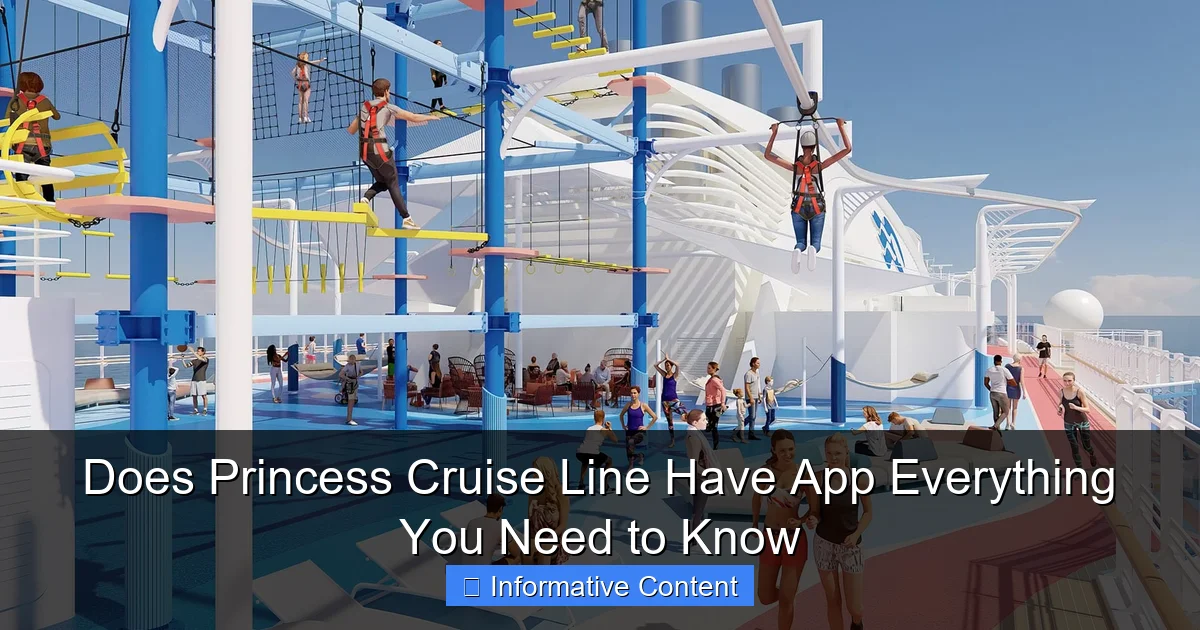
Featured image for does princess cruise line have app
Image source: cruisespotlight.com
Yes, Princess Cruise Line has a dedicated mobile app that enhances your cruise experience with features like digital check-in, real-time itinerary updates, and interactive deck plans. The app also offers onboard chat, excursion bookings, and dining reservations, making it a must-have tool for a seamless and stress-free voyage.
Key Takeaways
- Yes, Princess Cruise Line has an app for seamless trip planning and onboard management.
- Download before sailing to access pre-cruise check-in and itinerary details early.
- Use the app onboard for real-time schedules, dining reservations, and deck plans.
- Stay connected with e-muster for safety drills without physical gatherings.
- Enable push notifications to receive updates on events and promotions instantly.
- Sync with MedallionClass for keyless stateroom entry and contactless payments.
📑 Table of Contents
- Does Princess Cruise Line Have an App? Let’s Find Out!
- What Is the Princess Cruises MedallionClass® App?
- How to Use the Princess Cruise Line App: A Step-by-Step Guide
- Benefits of Using the Princess Cruise Line App
- Common Challenges and How to Fix Them
- How Does the Princess App Compare to Other Cruise Line Apps?
- Final Thoughts: Is the Princess Cruise Line App Worth It?
Does Princess Cruise Line Have an App? Let’s Find Out!
If you’ve ever stood on the deck of a cruise ship, watching the sun dip below the horizon while sipping a cocktail, you know how magical the experience can be. But behind the scenes, modern cruising is just as much about staying connected, organized, and in control. That’s where mobile apps come in. And if you’re planning a trip with Princess Cruise Line, you’ve probably asked yourself: Does Princess Cruise Line have an app?
The short answer? Yes, they do. But it’s not just *any* app. The Princess Cruises app—officially called the Princess Cruises MedallionClass® App—is more than a digital brochure or a basic itinerary tracker. It’s a full-fledged digital concierge designed to transform your cruise experience from the moment you book until you disembark. Whether you’re a first-time cruiser or a seasoned traveler who’s sailed the seven seas, this app is packed with features that aim to make your trip smoother, more personalized, and downright smarter.
But here’s the catch: not everyone finds it intuitive right away. Some love it. Others struggle with setup or wonder if it’s really worth the download. In this post, I’ll walk you through everything you need to know about the Princess Cruise Line app—what it does, how to use it, its pros and cons, and how it stacks up against other cruise line apps. I’ll also share real-life examples and tips based on actual user experiences (including my own!). So whether you’re booking your first Princess cruise or just curious about how tech is changing sea travel, keep reading.
What Is the Princess Cruises MedallionClass® App?
The Princess Cruises MedallionClass® App is the official mobile application developed by Princess Cruise Line to support their MedallionClass experience. Launched in 2017, the MedallionClass platform is Princess’s signature tech innovation—a wearable quarter-sized device (the OceanMedallion™) that works hand-in-hand with the app to deliver a highly personalized, contactless, and seamless cruise experience.
Visual guide about does princess cruise line have app
Image source: cruisefever.net
The Tech Behind the Magic: OceanMedallion™ and the App
The app doesn’t work in isolation. It’s part of an ecosystem centered around the OceanMedallion™, a small, lightweight wearable that you receive before your cruise. Think of it as your digital passport, room key, payment method, and personal assistant all rolled into one. The app syncs with the Medallion to unlock features like:
- Keyless stateroom entry
- Contactless payments onboard
- Personalized service (e.g., crew knows your name and drink preferences)
- Real-time location tracking (for family/friends to find each other)
- Interactive wayfinding (digital maps and directions)
But here’s the cool part: the app is what *activates* and *controls* the Medallion. Without the app, the Medallion is just a fancy coin. So yes, does Princess Cruise Line have an app? Absolutely—and it’s the brain of the entire operation.
Available Platforms and Download
The app is available for free on both iOS and Android:
- iOS: Download from the Apple App Store (requires iOS 12.0 or later)
- Android: Available on Google Play (Android 7.0 and up)
Pro tip: Download and set up the app before your cruise—ideally during the pre-cruise check-in process. This ensures your Medallion is activated and ready when you board. I once forgot to do this and had to wait 20 minutes at the terminal while tech support helped me sync my device. Not fun!
Core Features at a Glance
Once installed, the app gives you access to a suite of tools designed to simplify your cruise. Here are the main features you’ll use:
- Pre-Cruise Planning: Book excursions, dining, spa appointments, and even specialty drinks before you sail.
- Interactive Itinerary: View your daily schedule, including port times, shows, and events.
- Medallion Activation: Pair your wearable with the app and manage settings.
- Onboard Communication: Chat with family, find friends, and receive real-time updates from the crew.
- Wayfinding: Use the app’s indoor maps to navigate large ships (especially helpful on the Sky Princess or Discovery Princess, which have over 18 decks!).
- Personalized Offers: Get tailored discounts and promotions based on your preferences.
For example, on my last cruise, the app notified me that my favorite martini was 20% off during happy hour in the Wheelhouse Bar—just because I’d ordered it twice before. That’s the kind of personalization the app delivers when it’s set up correctly.
How to Use the Princess Cruise Line App: A Step-by-Step Guide
Now that you know does Princess Cruise Line have an app, let’s dive into how to actually use it. The setup process is straightforward, but skipping steps can lead to frustration. Here’s how to get started and make the most of it.
Step 1: Download and Create an Account
Open your app store and search for “Princess Cruises MedallionClass.” Install the app and open it. You’ll be prompted to:
- Create or log in to your Princess Cruises account (same login you use on their website)
- Link your cruise reservation (you’ll need your booking number)
Tip: Use the same email address you used for your cruise booking. This ensures all your data syncs properly.
Step 2: Activate Your OceanMedallion™
About 2–3 weeks before your cruise, you’ll receive the OceanMedallion™ in the mail (or at the terminal if you opted for on-site pickup). When you get it:
- Open the app and go to Medallion Setup
- Scan the QR code on the Medallion packaging
- Follow the prompts to pair it with your phone
Once activated, your Medallion will glow green—a sign it’s ready. I recommend doing this at least 48 hours before departure. Why? If there’s an issue, you’ll have time to contact customer support.
Step 3: Pre-Cruise Planning (Do This Before You Board!)
The app shines during the planning phase. Use it to:
- Book shore excursions: Filter by activity, price, and duration. I once booked a private catamaran tour in St. Maarten using the app—saved $50 compared to onboard pricing.
- Reserve specialty dining: From Sabatini’s Italian to Crown Grill, book early to avoid sold-out nights.
- Schedule spa treatments: Massages, facials, and thermal suite passes sell out fast.
- Set up payment: Link a credit card for contactless purchases. You can also set spending limits for kids.
Bonus: The app lets you upload your passport and travel docs for faster check-in. This alone can save 30+ minutes at the terminal.
Step 4: Onboard Experience
Once you board, the app becomes your cruise companion. Key uses:
- Check your daily schedule: The “Today” tab shows all events, including showtimes, port arrivals, and kids’ activities.
- Find your stateroom: Use the indoor map to locate your cabin. No more getting lost in the maze of hallways!
- Chat with family: Send messages to other app users in your group. No need to shout across the pool deck.
- Order drinks to your location: Tap “Order Drinks” in the app, select your drink, and it arrives within 10 minutes. I used this while lounging by the pool—zero effort, maximum relaxation.
One thing to note: The app works best with Wi-Fi or cellular data. While Princess offers free basic internet (150MB/day), streaming and video calls require a paid plan. I recommend upgrading to the Premium Internet Package ($25–$35/day) for full functionality.
Benefits of Using the Princess Cruise Line App
So, why bother with the app? After sailing on multiple Princess ships, I can confidently say the MedallionClass® App adds real value to the cruise experience. Here’s what I loved—and what you can expect too.
1. Time-Saving Convenience
Time is precious on a cruise. The app helps you reclaim it. No more:
- Waiting in line to book excursions
- Fumbling for your room key card
- Calling the front desk for directions
- Searching for your kids at the pool
With the app, everything is digital. I once booked a last-minute snorkeling tour in Cozumel while sipping coffee on my balcony. By the time I finished my drink, the confirmation was in my inbox.
2. Personalized Service
The app learns your preferences. After a few interactions, it starts suggesting:
- Your favorite drinks
- Restaurants you’ve enjoyed
- Excursions similar to ones you’ve booked
On my last cruise, the app reminded me that I’d loved the wine-tasting event in Santorini and offered a similar one in Mykonos. I booked it instantly—and it was just as amazing.
3. Enhanced Safety and Security
The app includes emergency features like:
- Real-time location tracking: Parents can see where their kids are (with consent)
- Medical alerts: Report health concerns directly to the infirmary
- Port departure reminders: Get alerts when it’s time to return to the ship
This is especially helpful in busy ports like Nassau or Barcelona, where it’s easy to lose track of time.
4. Cost Savings and Exclusive Deals
The app often features:
- Pre-cruise discounts (e.g., 15% off spa packages)
- Onboard promotions (e.g., “Buy one, get one free” at the casino)
- Early-bird pricing for excursions
I saved over $200 by booking all my shore activities through the app before departure. Plus, I got a free bottle of wine for being a repeat cruiser—delivered to my stateroom on day one.
5. Eco-Friendly and Contactless
The app reduces paper use (no more daily paper schedules) and supports contactless transactions. This was a game-changer during the pandemic and remains a plus for hygiene-conscious travelers.
One caveat: While the app is great, it’s not perfect. Some users report occasional glitches (e.g., delayed notifications or syncing issues). But overall, the benefits far outweigh the hiccups.
Common Challenges and How to Fix Them
Let’s be real: no app is flawless. The Princess Cruises MedallionClass® App has its quirks. Here are the most common issues—and how to solve them.
Issue 1: Medallion Won’t Pair
Problem: You can’t scan the QR code, or the app says “Pairing Failed.”
Solution:
- Ensure your phone’s Bluetooth is on
- Restart the app and try again
- Contact Princess Tech Support (available 24/7 via the app or at the terminal)
- As a last resort, get a replacement Medallion at the terminal (they keep extras on hand)
Issue 2: App Crashes or Freezes
Problem: The app stops responding, especially when loading maps.
Solution:
- Update the app to the latest version
- Clear the app’s cache (Settings > Apps > Princess Cruises > Storage > Clear Cache)
- Restart your phone
- Use the Princess Cruises website as a backup (it has most app features)
Issue 3: Poor Internet Connection
Problem: The app works slowly or not at all.
Solution:
- Connect to the ship’s Wi-Fi (free for basic use)
- Buy an internet package for faster speeds
- Use the app’s offline features (e.g., view pre-downloaded maps and itineraries)
Issue 4: Notifications Don’t Work
Problem: You miss important alerts (e.g., port arrival time).
Solution:
- Check your phone’s notification settings (ensure the app has permission)
- Enable “Do Not Disturb” exceptions for the app
- Manually check the “Today” tab every morning
Pro tip: I always set a daily alarm to review my schedule—just in case the app fails. It’s saved me from missing a shore excursion twice!
How Does the Princess App Compare to Other Cruise Line Apps?
You might be wondering: How does the Princess Cruise Line app stack up against competitors like Royal Caribbean, Carnival, or Norwegian? Let’s break it down.
Feature Comparison Table
| Feature | Princess Cruises MedallionClass® App | Royal Caribbean App | Carnival HUB App | Norwegian Cruise Line App |
|---|---|---|---|---|
| Keyless Entry | Yes (via Medallion) | Yes (via WOWband) | Yes (via RFID bracelet) | No (uses card) |
| Contactless Payments | Yes | Yes | Yes | Yes |
| Personalized Service | High (AI-driven) | Medium | Medium | Low |
| Indoor Wayfinding | Yes (detailed maps) | Yes | Yes | Yes |
| Pre-Cruise Planning | Excellent (excursions, dining, spa) | Good | Good | Fair |
| Onboard Chat | Yes (free) | Yes (free) | Yes (free) | Yes (free) |
| Drink Delivery | Yes | Yes (Royal Caribbean) | No | No |
As you can see, Princess leads in personalization and convenience, thanks to the Medallion integration. Royal Caribbean is close behind with its WOWband, but lacks the same level of AI-driven service. Carnival’s HUB app is fun but more basic, while Norwegian’s app is functional but not as advanced.
One unique perk: Princess’s app offers free onboard messaging (no internet needed), which is a huge plus for families. Other lines often require a paid internet plan for chat.
Final Thoughts: Is the Princess Cruise Line App Worth It?
So, does Princess Cruise Line have an app? Yes—and it’s one of the best in the industry. The MedallionClass® App isn’t just a nice-to-have; it’s a game-changer for modern cruising.
From keyless entry to personalized drink delivery, the app streamlines nearly every aspect of your trip. It saves time, reduces stress, and adds a layer of luxury you won’t find on every cruise line. While it has occasional bugs (like any tech), the benefits far outweigh the drawbacks.
My advice? Download it early, set it up properly, and explore its features before you sail. Use it to book excursions, reserve dining, and even chat with your travel companions. And don’t forget to activate your OceanMedallion™—it’s the magic that makes the app work.
Whether you’re a tech-savvy traveler or someone who just wants a smoother cruise, the Princess app delivers. It’s not perfect, but it’s getting better with every update. And honestly? After using it for three cruises, I can’t imagine sailing without it.
So next time you’re packing your bags for a Princess cruise, make sure your phone’s charged, the app’s installed, and your Medallion’s ready. Because the future of cruising isn’t just on the water—it’s in your pocket.
Frequently Asked Questions
Does Princess Cruise Line have an app for onboard navigation and activities?
Yes, Princess Cruise Line offers the MedallionClass® App, which helps guests navigate the ship, book activities, check dining options, and access their staterooms via their smart devices. The app is designed to enhance convenience and personalize the cruise experience.
Is the Princess Cruise Line app free to download and use?
Absolutely! The Princess Cruise Line app is free to download on iOS and Android devices and includes complimentary features like itinerary tracking and onboard messaging. Some premium services may require additional fees or subscriptions.
What features does the Princess Cruise Line app include?
The app offers real-time ship updates, dining reservations, excursion bookings, interactive maps, and even mobile check-in. With the OceanReady® feature, you can complete pre-cruise tasks like health forms and safety drills directly from your device.
Can I use the app to connect with my travel companions during the cruise?
Yes, the MedallionClass® App includes a private group messaging feature, allowing you to stay in touch with family and friends onboard. It also supports location sharing, so you can easily meet up on the ship or during port stops.
Do I need to download the Princess Cruise Line app before boarding?
While not mandatory, downloading the app before your cruise is highly recommended to streamline your embarkation process. Use it to complete OceanReady® checklists, upload travel documents, and access your boarding details in advance.
Does the app work in all cruise destinations or just onboard?
The app primarily functions onboard, offering ship-specific features like cabin controls and activity schedules. However, it also provides port guides and excursion details for your destinations, helping you plan activities even when you’re ashore.
